





Beyond Price Tags: Where Color E-Paper Fits in Retail Signage
Electronic shelf labels have helped retailers automate price changes and reduce the need to replace printed labels manually. But price tags are only one part of the in-store communication challenge....

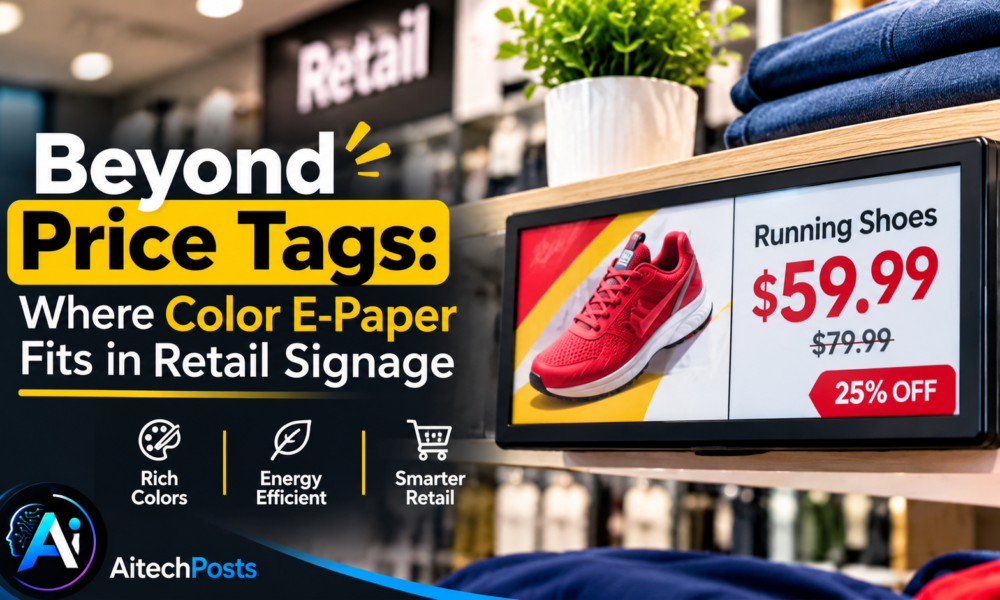
Electronic shelf labels have helped retailers automate price changes and reduce the need to replace printed labels manually. But price tags are only one part of the in-store communication challenge.
Table Of Content
- 1. Look Beyond Electronic Shelf Labels
- 2. Understand the Trade-Off Between E-Paper and LCD
- 3. Consider Installation Flexibility and Power Requirements
- 4. Centralized Content Management Requires the Right Architecture
- 5. Build a Retail ROI Model Before Scaling
- 6. Match the Display to the Campaign
- 7. Start With a Pilot, Then Evaluate the Results
- Conclusion: Use Color E-Paper Where Its Strengths Matter
Retailers also use promotional posters, end-cap displays, window advertising, product information panels, and brand messaging to communicate with shoppers. These larger-format applications have traditionally relied on printed materials or conventional digital displays.
Color e-paper display offers another option for selected retail signage applications. Its reflective display characteristics and ability to retain static content can be useful when stores want to update visual information without operating a continuously illuminated screen.
The key question is not whether color e-paper can replace every printed poster or LCD display. It is where the technology provides a practical advantage—and how retailers can evaluate that advantage before investing.
1. Look Beyond Electronic Shelf Labels
Electronic shelf labels and large-format e-paper signage serve different purposes.
Shelf labels primarily communicate prices, product identifiers, and short item-level information. Larger e-paper displays can be considered for applications where the content needs more space, stronger visual hierarchy, or a more prominent position within the store.
Potential applications include:
- Promotional posters and seasonal campaigns
- Product information at end-cap displays
- Brand messaging in selected store areas
- Window-facing advertising
- In-store directories and wayfinding
- Static promotional content that changes on a schedule
The right format depends on the distance from which shoppers view the display, the amount of information being presented, and how often the content changes.
A small product label and a large promotional poster should not be evaluated using the same design criteria. Each needs an appropriate screen size, layout, and update strategy.
2. Understand the Trade-Off Between E-Paper and LCD
Color e-paper and LCD displays offer different strengths.
LCD is generally the more natural choice when a retail application requires video, rapid animation, or continuously changing content. It can also offer high brightness and a familiar visual experience across a broad range of applications.
Color e-paper is worth considering when the content consists mainly of static or periodically updated graphics, such as promotional posters, product information, or campaign artwork.
Because reflective displays use ambient light, they can present content without the continuously illuminated appearance of a conventional backlit monitor. However, color reproduction, contrast, and perceived brightness differ by display technology and viewing conditions.
Retailers should assess real samples rather than rely solely on product photographs or generic claims about color performance.
Useful evaluation criteria include:
- How closely the displayed colors match the campaign artwork
- Whether product images remain clear at the intended viewing distance
- How easily shoppers can read text and promotional details
- How the display appears under store lighting or near windows
- Whether the refresh behavior fits the campaign schedule
The decision should follow the content requirements, not the assumption that one display technology is inherently better for every retail environment.
3. Consider Installation Flexibility and Power Requirements
Power and installation requirements can affect the cost of deploying digital signage across multiple stores.
A conventional LCD installation may require a suitable power connection and, depending on the setup, additional cabling and mounting work. Some e-paper products can support battery-powered or wireless configurations, potentially reducing wiring requirements for appropriate applications.
These benefits depend on the specific product and installation design. Not every large-format e-paper display is battery-powered, and wireless connectivity does not eliminate every installation requirement.
Before choosing a solution, retailers and integrators should confirm:
- The display’s supported power options
- Whether the intended location has suitable electrical access
- The communication method and network requirements
- The expected frequency of content updates
- The mounting and enclosure requirements
- Battery access and replacement needs, if applicable
For a store with existing power and network infrastructure, the installation calculation may differ substantially from that for a window display or a temporary promotional location.
A pilot installation can help establish the actual labor, equipment, and maintenance requirements before a rollout across multiple stores.
4. Centralized Content Management Requires the Right Architecture
Retail chains often need to manage campaigns across multiple locations. A centralized content workflow can help coordinate promotional artwork, scheduling, and updates.
However, the ability to manage a fleet of displays depends on the complete software and hardware architecture—not just the panel.
A deployment may include a content management system, a communication gateway, individual display controllers, network connectivity, and store-level systems. Whether these components can be managed through a single platform depends on compatibility and integration requirements.
Before selecting a solution, define the expected workflow:
- Marketing teams prepare and approve campaign content.
- Content is assigned to specific stores or display groups.
- Updates are scheduled according to campaign timing.
- Devices receive the new content through the supported communication method.
- The system records update status where that capability is available.
- Store personnel or remote teams address failed updates when necessary.
A simple deployment may require only basic scheduling. A large retail network may need user permissions, campaign version control, device monitoring, and integration with existing business systems.
These requirements should be confirmed during solution evaluation. Do not assume that every display supports the same CMS, APIs, wireless protocols, or remote-management functions.
5. Build a Retail ROI Model Before Scaling
Color e-paper may help reduce some recurring costs associated with printed promotional materials or selected digital signage installations. But the financial benefit depends on how the technology is used.
A retailer should compare the complete cost of the existing approach with the proposed e-paper deployment over the same evaluation period.
The baseline model may include:
- Printing and delivery of promotional materials
- Labor required to replace posters
- Disposal and handling of outdated materials
- Existing display hardware and installation
- Electricity and ongoing maintenance
- Campaign update frequency
The proposed e-paper model may include:
- Display hardware and controller costs
- Installation and mounting
- Power and communication infrastructure
- Content management and software integration
- Battery replacement, where applicable
- Maintenance and eventual equipment replacement
A simple calculation is:
Net savings over the evaluation period = Baseline total cost − Proposed e-paper total cost
If the result is positive, the project may offer a financial advantage under the assumptions used. The model should also account for any additional costs required to integrate e-paper with existing retail systems.
For a project that requires a payback-period estimate, the team should calculate the initial investment and compare it with the expected annual net savings. Those estimates should be based on actual operating data rather than generic claims about energy or labor savings.
It is also important to distinguish financial benefits from environmental benefits. Reducing printed materials may reduce paper use, but the total environmental impact depends on the equipment, its lifetime, replacement cycles, and other lifecycle factors.
6. Match the Display to the Campaign
Not every retail campaign needs the same type of screen.
A campaign built around a full-motion video may be better suited to LCD or another display technology designed for continuous motion. A promotion based on a product photograph, price, headline, and short description may be a more natural fit for e-paper.
The update schedule also matters. If a campaign changes several times a day, the team should verify the display’s supported refresh behavior and account for the power and operational implications of those updates.
For color e-paper, the creative workflow may also need to account for the display’s color characteristics. Designers should preview artwork on the actual display where possible, rather than assuming that a graphic designed for a backlit monitor will look identical on a reflective panel.
A successful deployment begins with matching the medium to the message.
7. Start With a Pilot, Then Evaluate the Results
Before deploying a new signage technology across an entire retail chain, test it in representative locations.
A useful pilot might compare a small group of e-paper displays with the existing signage approach under similar operating conditions.
Track measurable indicators such as:
- Installation time and cost
- Time required to prepare and distribute campaigns
- Frequency of manual interventions
- Successful content-update rate
- Power consumption, where relevant
- Maintenance requirements
- Total cost over the pilot period
The pilot should also assess the shopper-facing experience: readability, color appearance, content clarity, and suitability for the store environment.
Once the team has reliable results, it can refine the financial model and decide whether to expand the deployment.
Conclusion: Use Color E-Paper Where Its Strengths Matter
Color e-paper is not a universal replacement for printed posters, electronic shelf labels, or LCD displays. It is another option in the retail signage toolkit, particularly for applications centered on static or scheduled promotional content.
The strongest business case comes from matching the display to the campaign, confirming the installation and content-management requirements, and measuring the operational impact.
Retailers and system integrators exploring these applications can review e-paper retail signage as a starting point for evaluating suitable display configurations.
MyGica develops e-paper display solutions for commercial applications. The appropriate system depends on the required screen size, color technology, power configuration, communication architecture, and content workflow.




No Comment! Be the first one.