




Best AI tools for small business to Boost Productivity Now
Best AI tools for small business! Running a small business has never been easy—but it has rarely been more competitive. With lean teams, tight budgets, and a growing list of tasks that demand...

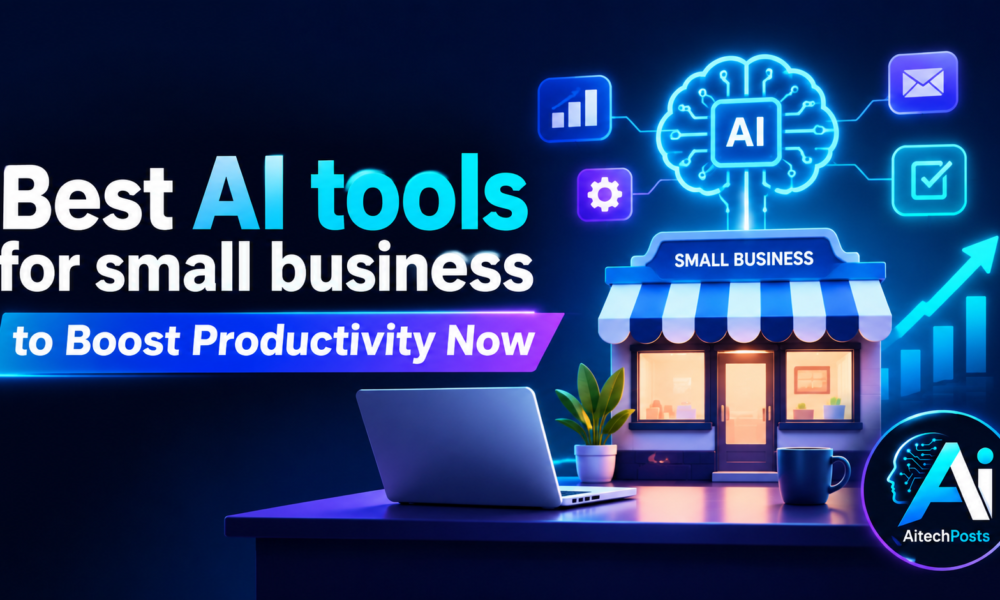
Best AI tools for small business! Running a small business has never been easy—but it has rarely been more competitive. With lean teams, tight budgets, and a growing list of tasks that demand attention, small business owners are constantly being asked to do more with less. The good news? AI has quietly become one of the most powerful equalizers available, giving small businesses access to capabilities that were once reserved for large enterprises with deep pockets.
Table Of Content
- ChatGPT — AI Assistant for Everyday Business Tasks
- Microsoft Copilot — AI for Workplace Productivity
- Google Gemini — AI for Google Workspace Users
- Canva AI — AI-Powered Design and Marketing
- Grammarly — AI Writing and Communication Assistant
- Zapier — AI-Powered Workflow Automation
- HubSpot AI — AI for Marketing and CRM
- Notion AI — AI for Organization and Team Collaboration
- QuickBooks AI Features — AI for Small Business Finance
- Otter.ai — AI Meeting Assistant
From drafting professional emails in seconds to automating entire workflows, AI tools are helping small businesses save hours every week, reduce costly errors, and compete at a level that simply wasn’t possible a few years ago. Customer service, marketing, financial management, team collaboration—each of these functions now has purpose-built AI solutions that can transform how your business operates.
This guide covers the best AI tools for small businesses in 2024, what to look for before choosing one, and how to use them effectively to maximize your return.
What to Look for in an AI Tool for Small Business
Not every AI tool is built with small businesses in mind. Before committing to any platform, evaluate it against these core criteria:
- Ease of use: A steep learning curve defeats the purpose. Choose tools with intuitive interfaces that your team can adopt quickly.
- Pricing and affordability: Look for free tiers or flexible pricing. Many of the best tools offer strong functionality at low cost.
- Automation capabilities: The best tools handle repetitive tasks without constant input from your team.
- Integration with existing software: An AI tool that doesn’t connect with your current apps will create more friction than it removes.
- Scalability: Your business will grow. Choose tools that can grow with you.
- Data security and privacy: Understand how each platform handles your data before you upload anything sensitive.
- Customer support: Responsive support matters, especially when you’re getting started.
Best AI Tools for Small Business
ChatGPT — AI Assistant for Everyday Business Tasks
ChatGPT, developed by OpenAI, is arguably the most versatile AI tool available to small businesses today. Its conversational interface makes it easy to use with no technical background required.
Use ChatGPT to draft emails, write marketing copy, brainstorm product ideas, research topics, summarize documents, or even build out a business plan. It acts like an always-available assistant that can tackle a remarkable range of tasks on demand.
Best for: General productivity and business assistance
Microsoft Copilot — AI for Workplace Productivity
For businesses already running on Microsoft 365, Copilot integrates directly into Word, Excel, PowerPoint, and Outlook. It can draft documents, generate presentations from a brief, summarize long email threads, and surface patterns hidden in spreadsheet data.
The key advantage here is context. Copilot works within tools your team already uses daily, reducing the friction of adopting something new.
Best for: Businesses already using Microsoft 365
Google Gemini — AI for Google Workspace Users
Google Gemini works similarly within the Google ecosystem. Embedded into Gmail, Google Docs, Sheets, and Meet, Gemini can help with writing, editing, research, and document summarization—all without leaving the tools your team is already in.
For small businesses relying on Google Workspace for daily operations, Gemini offers a natural and efficient productivity upgrade.
Best for: Businesses using Google Workspace
Canva AI — AI-Powered Design and Marketing
Design has historically been a bottleneck for small businesses without an in-house creative team. Canva’s AI features change that equation dramatically. Using its AI-powered tools, you can generate social media graphics, build professional presentations, design advertisements, and maintain consistent brand visuals—all without design experience.
Features like Magic Design and AI image generation mean that polished, on-brand content is no longer dependent on a dedicated designer.
Best for: Small businesses without an in-house designer
Grammarly — AI Writing and Communication Assistant
Every piece of writing your business puts out—whether it’s a client proposal, a marketing email, or a social media post—reflects your brand. Grammarly’s AI catches grammar and spelling errors in real time, but its value goes well beyond basic proofreading.
Grammarly also suggests tone adjustments, rewrites sentences for clarity, and flags passive voice. For teams producing a high volume of written communication, Grammarly is one of the easiest wins available.
Best for: Business communication and content
Zapier — AI-Powered Workflow Automation
Repetitive manual tasks—moving data between apps, sending follow-up emails, logging leads into a CRM—add up to significant time waste each week. Zapier solves this by connecting thousands of apps and automating workflows between them, no coding required.
With its AI-powered features, Zapier can now help you build automations using plain language instructions. Describe the task you want to automate, and Zapier maps out the workflow for you.
Best for: Workflow and task automation
HubSpot AI — AI for Marketing and CRM
HubSpot has long been a favorite among growing businesses, and its AI features make its already powerful CRM and marketing suite even more useful. HubSpot AI can help you generate content, manage leads, personalize outreach, and automate marketing sequences—all within a single platform.
For small businesses that are actively focused on growing their customer base, the combination of AI-assisted content and intelligent CRM is particularly powerful.
Best for: Small businesses focused on sales and marketing
Notion AI — AI for Organization and Team Collaboration
Keeping a small team organized can be harder than it sounds—especially when information is scattered across emails, chat messages, and documents. Notion AI helps centralize that knowledge and make it actionable.
Use Notion AI to summarize meeting notes, generate task lists, draft documents, and manage team knowledge in a single workspace. The AI layer speeds up work that would otherwise require significant manual effort.
Best for: Team organization and productivity
QuickBooks AI Features — AI for Small Business Finance
QuickBooks has been a go-to accounting platform for small businesses for years. Its AI-powered features now extend to expense categorization, invoice generation, cash flow insights, and financial reporting.
Rather than spending hours on manual bookkeeping, QuickBooks AI helps automate the financial workflows that matter most, giving business owners a clearer picture of their finances without the time investment.
Best for: Small business financial management
Otter.ai — AI Meeting Assistant
Meetings are productive only if their outcomes are captured and acted on. Otter.ai solves this by automatically transcribing conversations in real time, generating concise summaries, identifying action items, and creating a searchable record of every discussion.
According to Otter.ai, users report saving more than four hours per week by automating transcription and note-taking. Laura Brown, Vice President of Sales at Aiden Technologies, put it simply: “Otter is a must-have. Just being conservative—our team is getting 33% time back.”
Otter.ai integrates with Zoom, Google Meet, Microsoft Teams, Slack, Salesforce, and HubSpot, making it easy to push meeting insights into the tools your team already uses. A free plan is available, with Business plans starting at $19.99 per user per month.
Best for: Teams that frequently hold meetings
How AI Tools Can Boost Small-Business Productivity
The productivity gains from AI aren’t limited to any single department. Across the business, AI tools deliver consistent benefits:
- Automating repetitive administrative work frees up your team for higher-value tasks
- AI writing tools reduce the time spent on drafting emails, proposals, and marketing content
- Chatbots and AI assistants can handle routine customer inquiries around the clock
- Marketing platforms powered by AI can create, schedule, and optimize content faster than any team could manually
- AI-driven organization tools reduce the time lost searching for information
- Automated data entry and error-checking reduces costly human mistakes
Together, these gains compound. A business that automates even a handful of routine tasks can recover dozens of hours each month.
How to Choose the Right AI Tool for Your Business
The sheer number of AI tools available makes it tempting to try everything at once. A more effective approach:
- Identify your biggest bottleneck first. Where is your team losing the most time? Start there.
- Shortlist one or two tools that directly address that bottleneck.
- Compare pricing and features before committing to anything.
- Check integrations with your existing software stack.
- Use free trials to evaluate each tool in real working conditions.
- Measure the impact—track time saved and business outcomes after 30 days.
Tips for Using AI Effectively
Adopting AI is only half the battle. Getting the most out of it requires a thoughtful approach:
- Write clear, specific prompts. Vague instructions produce vague outputs. The more context you give AI, the better its results.
- Always review AI-generated content before it goes out. AI is fast, but human judgment is still essential.
- Avoid entering sensitive data unnecessarily. Only share what each tool genuinely needs to function.
- Build standard prompt templates for tasks you repeat regularly. This saves time and ensures consistency.
- Train your team so everyone understands how and when to use each tool responsibly.
- Evaluate performance regularly. If a tool isn’t delivering value after 60 days, move on.
Common Mistakes Small Businesses Should Avoid
Even well-intentioned AI adoption can go wrong. Watch out for these common pitfalls:
- Buying too many tools at once creates confusion and rarely delivers proportional value
- Choosing based on popularity alone can lead you to tools that don’t fit your specific workflow
- Ignoring data privacy can expose your business to unnecessary legal and reputational risk
- Over-relying on AI without human review will eventually produce errors that damage credibility
- Skipping employee training leaves your investment underutilized
- Failing to measure outcomes makes it impossible to know whether AI is actually helping
The Right AI Tool Can Change How You Work
AI tools won’t replace the judgment, relationships, and expertise that make a small business worth choosing. What they can do is free your team from the low-value tasks that consume time better spent on growth.
The best place to start is with a single, well-chosen tool that addresses a clear, specific pain point. Get comfortable with it. Measure the impact. Then expand from there. The businesses that will benefit most from AI aren’t the ones that adopt the most tools—they’re the ones that use the right tools well.



No Comment! Be the first one.